Since the inception of WordPress, the Classic Editor has been the default editor for WordPress. Despite introducing Gutenberg as the new default editor, the Classic Editor is still widely used by many WordPress users and developers.
How to use custom fonts in the Classic Editor
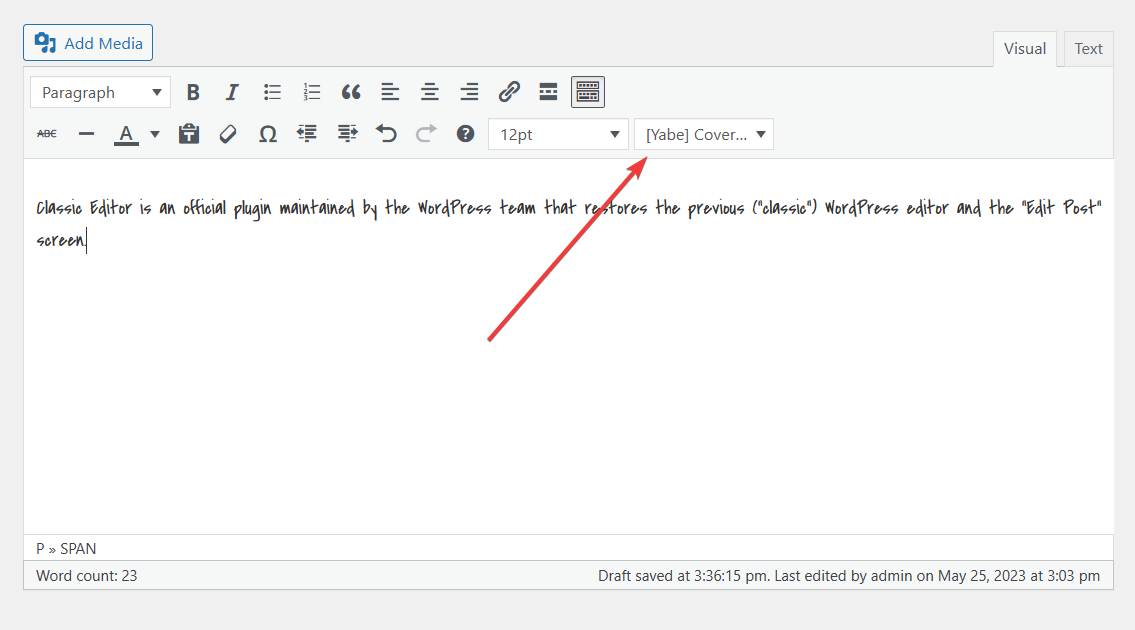
In the Classic Editor, you can use any fonts you have added to Yabe Webfont.
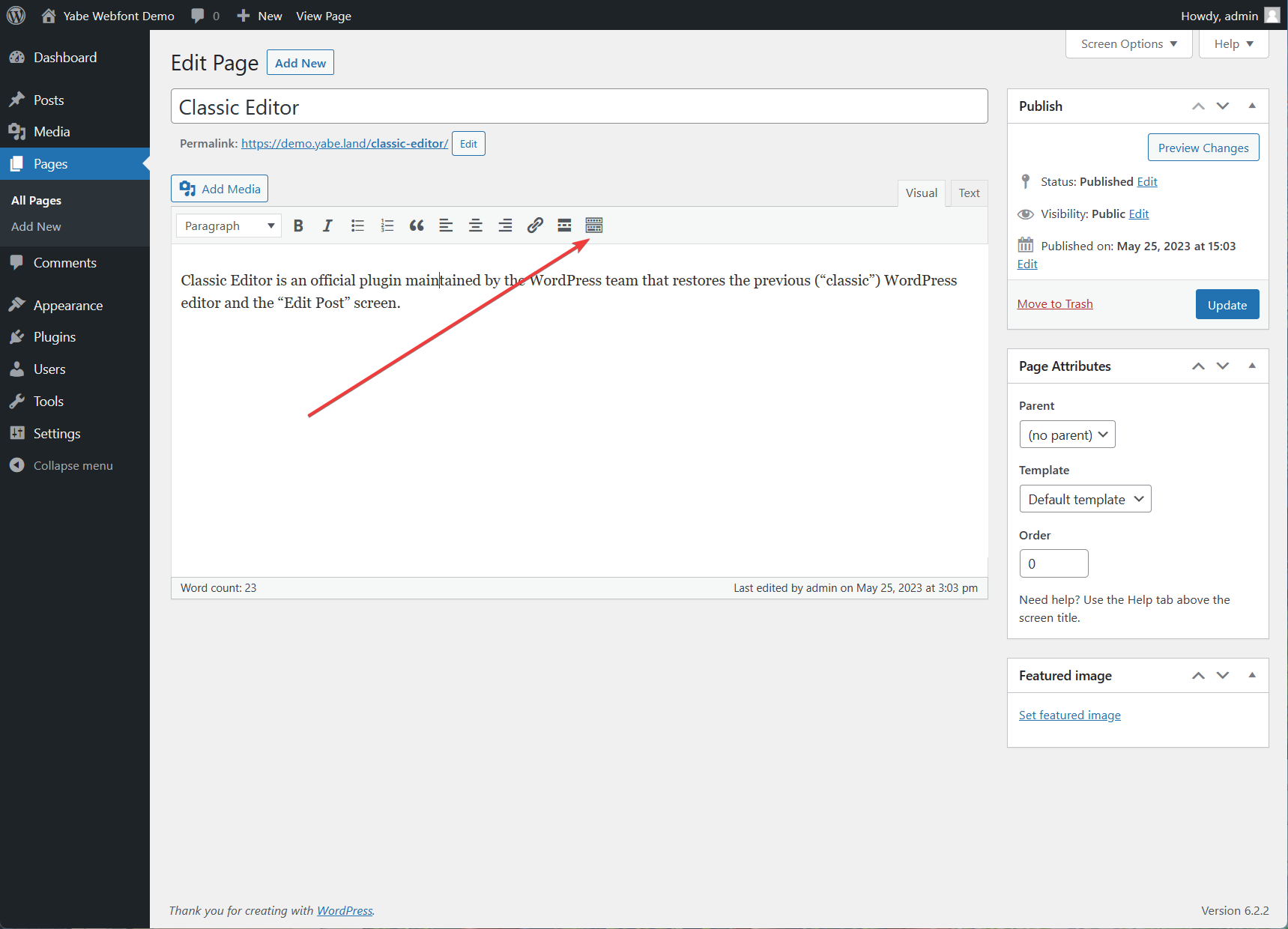
Step 1: Toggle the toolbar
On the WYSIWYG editor, click the icon to toggle the toolbar.
Step 2: Select the font family
Open the Font Family dropdown list, and select the font family you want.